Set up in five minutes
If you can plug in a printer, you can do this. The cable you need is the one that came with your old printer.
Plug in
A USB A-to-B cable from each inverter's USB port to a Windows PC. A powered hub is fine for three or more.
Double-click
Run SolarDragnet.exe. It checks every COM port and finds each inverter on its own.
Watch
Your browser opens the dashboard. Add --lan and it shows on your phone over Wi-Fi too.
What you see
Built in a garage running three SPF 3000s, by someone who got tired of guessing what his bank was doing at 3 a.m.
All inverters on one screen
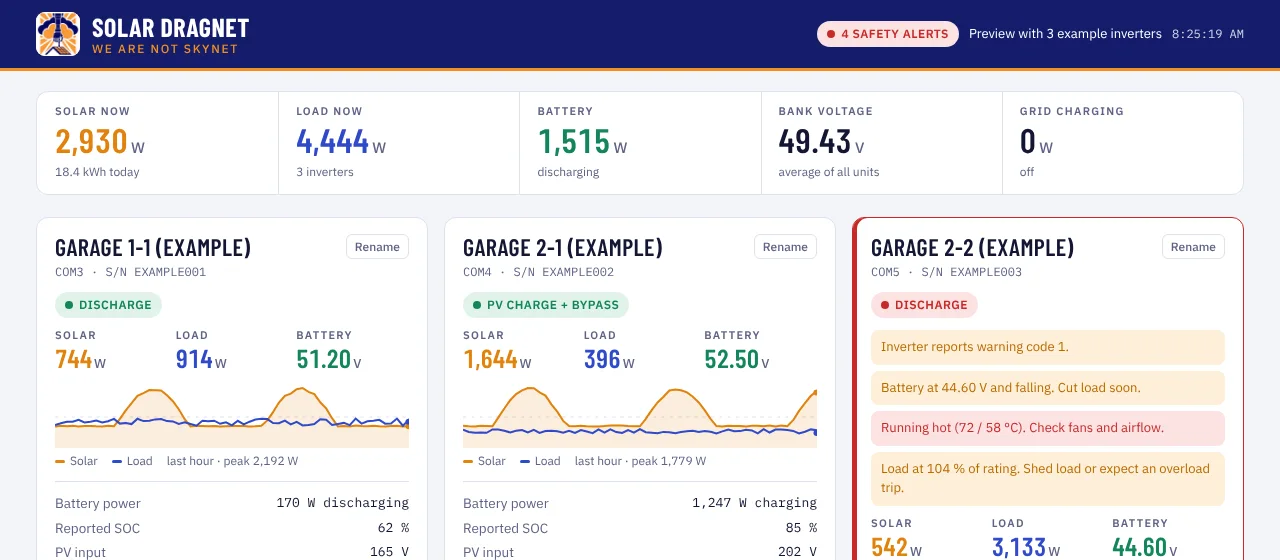
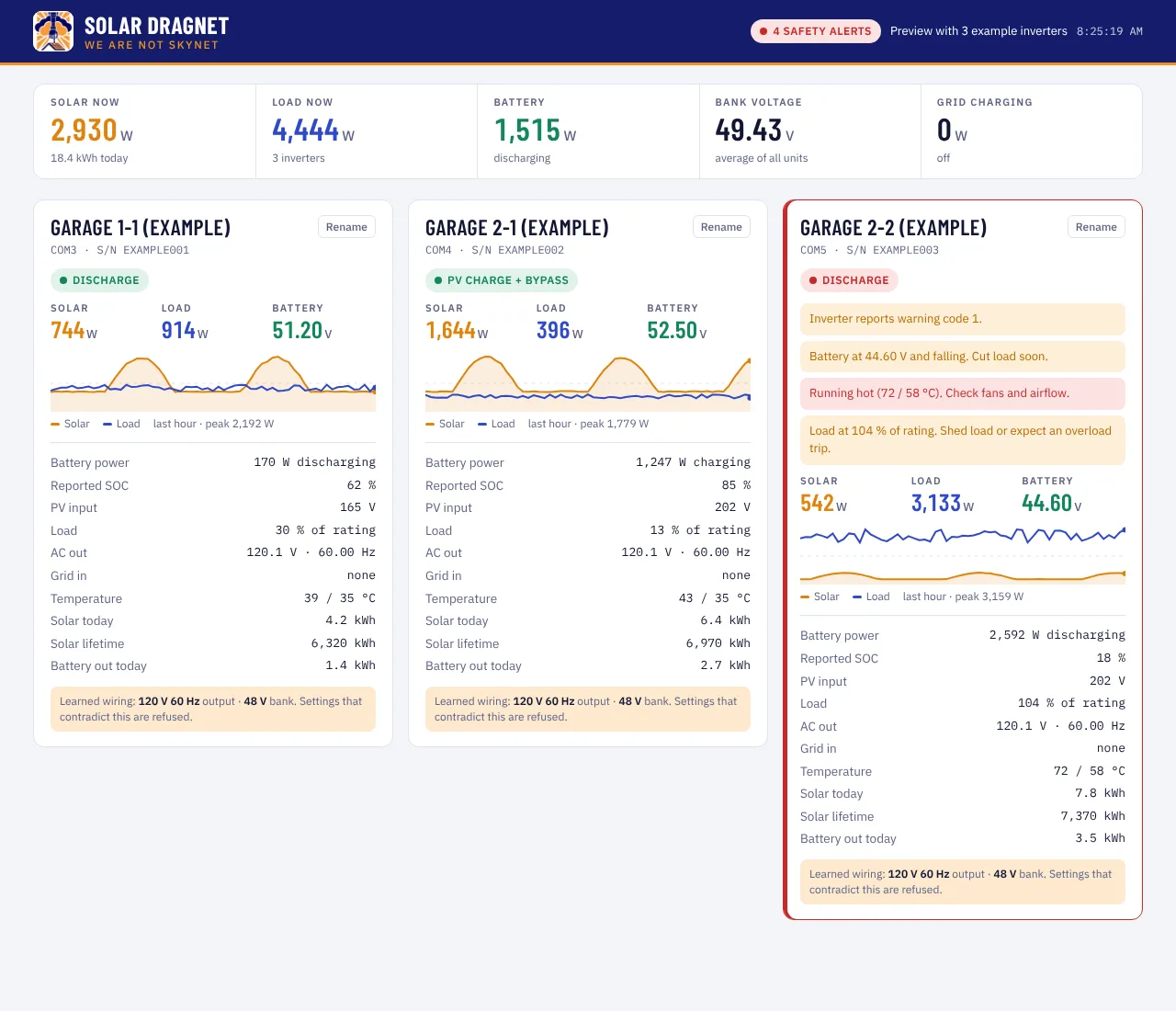
Solar, load, battery voltage and power, grid input, AC output, temperatures and status for each unit, with system totals across the top. Name each inverter once and it sticks.
History and solar coverage
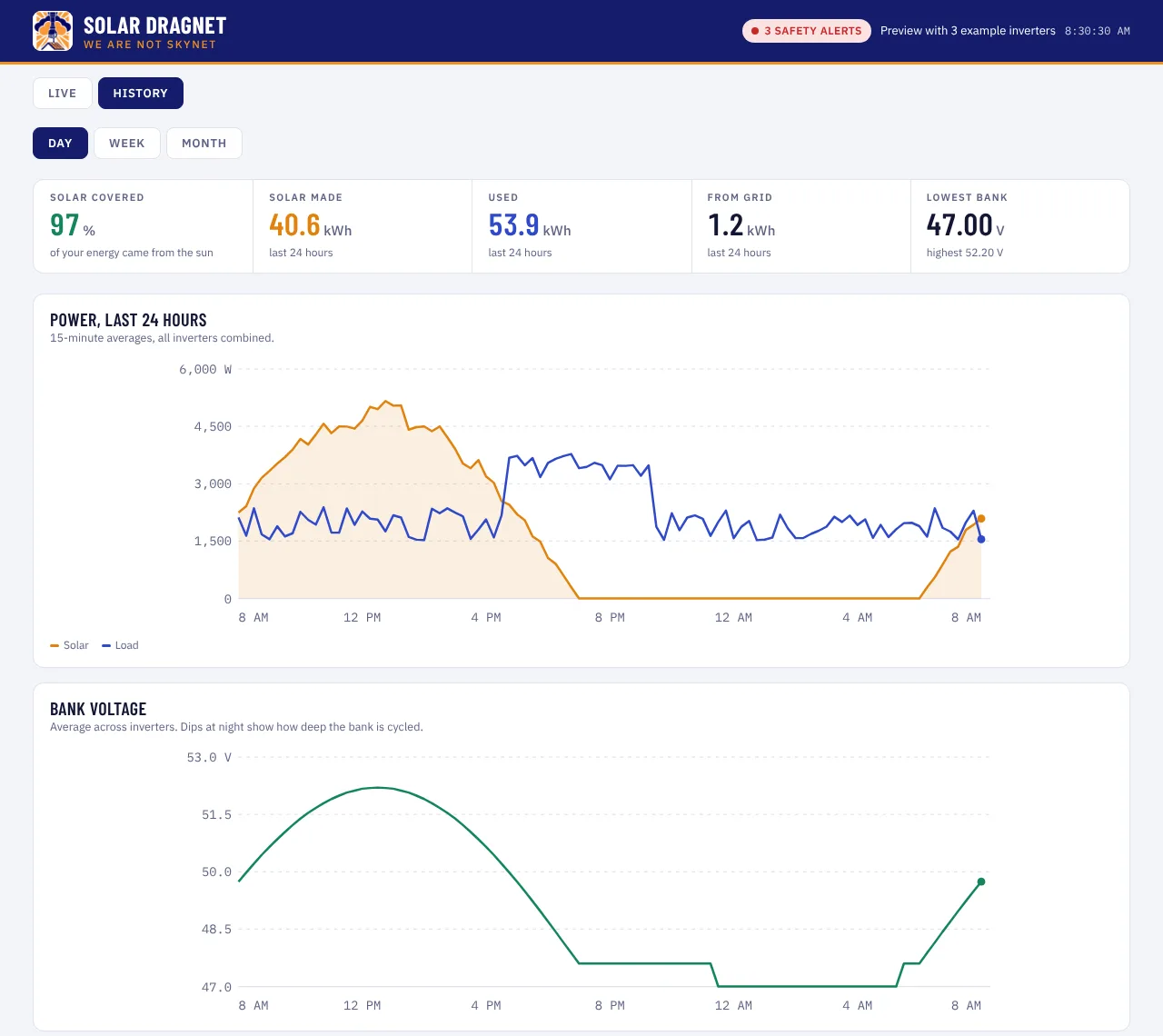
See how much of your energy came from the sun, how deep the bank went each night, and which days the grid had to step in. Every minute is also saved to a spreadsheet file you own.
Safety checks
Fault and warning codes, low or high battery, overheating, overload, PV voltage near the input limit, a fan that stopped under heat, and an inverter that went quiet. Each alert says what to do next.
Inverter warm under load but fan reads 0 %. Fan may have failed.
It knows what it's wired to
Solar Dragnet learns each inverter's real wiring from what it measures: output voltage and frequency, battery voltage range, peak PV and peak load. Any setting that contradicts that wiring is refused with the reason. If the output suddenly reads wrong, you hear about it before anything else gets plugged in.
output 208 V → refused. This inverter has only ever fed 120 V loads. Setting 208 V would put the wrong voltage on everything connected.Dragnet, not Skynet
It watches everything and decides nothing alone. That is the whole design.
- Read-onlyIt never writes a setting to your inverter.
- LocalYour data stays on your PC. Nothing is sent anywhere.
- Asks firstAny future control goes through the wiring check, then your click.
- YoursMinute logs are plain CSV files you can open in Excel.
Price
Pay once for the app. The shared safety rules are the only thing that costs monthly, because they keep growing.
Solar Dragnet
- Every feature on this page
- Unlimited inverters on one PC
- Updates for the life of version 1
Hive rules
- Lessons from other owners' installs, shared opt-in and anonymous
- New refusals and alerts the moment several sites report the same failure
- Never uploads your serials, location or logs
Works with: Growatt SPF 3000 / 5000 / 6000 (off-grid) over the built-in USB port, Windows 10 and 11. Voltronic / EG4 / MPP Solar, Victron and Sol-Ark are on the list.
Questions
Do I need Solar Assistant or a Raspberry Pi?
No. Solar Dragnet talks to the inverters directly over their USB ports. If Solar Assistant is running on the same cables, close it first; only one program can use a port at a time.
Can it change my inverter settings?
No. Version 1 has no way to write anything. Control comes later, and only through the wiring check plus your approval for each change.
Windows says it's from an unknown publisher
The app isn't code-signed yet. Click "More info", then "Run anyway". Code signing is on the way.
The inverter doesn't show up
Open Device Manager and look under Ports (COM & LPT). Each inverter should appear as "Silicon Labs CP210x" or "USB Serial". A yellow mark means the driver is missing; install the CP210x driver from silabs.com.